CAE Inc. · UI Design | Product Design · 2021–2023
Crew Training
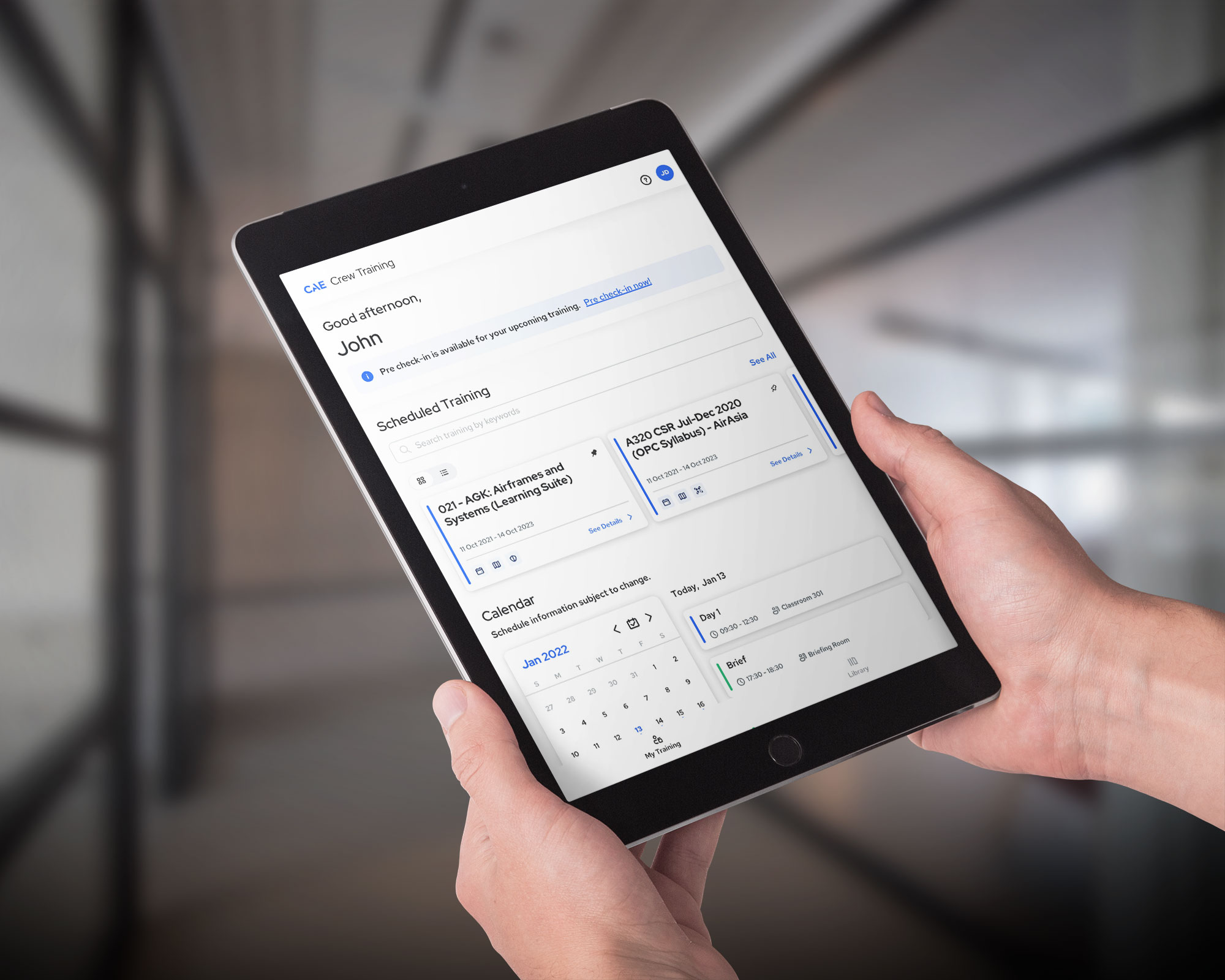
Crew Training is a mobile-first study platform for pilots, combining three separate apps into one. It gives CAE trainees comprehensive courses, interactive learning, and progress tracking, plus easy access to study materials, schedules, past records, and training check-in.
- Role
- UI Design | Product Design
- Time
- 2021–2023
- With
- CAE Inc.
Ingredients
- UI Design
- Product Design
Some pilots log in for a single week every six months, while cadets use the app daily for an entire year.
Context
CAE Inc. is a Canadian manufacturer of simulation technology focused on aviation, offering simulation solutions and pilot training worldwide.
Crew Training is the digital bridge between pilots-in-training and their training centers.
Before 2020, different user groups relied on entirely different apps.
Everything was unified into one app covering books, schedules, training records, and computer-based learning, to reduce friction for both CAE's customer care team and its users.
Personas
Cadet, FTO · Age 22
Charlie Tope
New to aviation, uses the app to read coursebooks, take notes, and study for exams over a year-long training path. Needs interactive, comprehensive courses covering both theory and practical skills.
Civil Aviation Pilot, CAT · Age 35
Sara Wright
Experienced commercial pilot flying internationally. Turns to CAE for recurrent training and relies on the app to stay organized across her schedule and simulator sessions.
Business Aviation Pilot, BAT · Age 55
Alex Johnson
Flies private jets for high-profile clients with demanding, changing schedules. Depends on the app for on-the-go access to materials and chose CAE for its flexibility and service.
Problem (Part 1)
I joined CAE and the Crew Training team in September 2021. At the time, Crew Training was the company's only iOS app, and a fairly limited one. Users could view schedules, read a few books, and take notes, but the app lacked a proper calendar and any real navigation structure.
Approach
Sit with the team
Sat in on dailies with developers and the product owner.
Follow the surveys
Noticed customer survey results referenced constantly, including a question asking if users would be open to a follow-up interview.
Talk to users
Used those responses, along with the product owner, to reach out directly and run informal one-on-one interviews.
Pre-Training Experience Flow
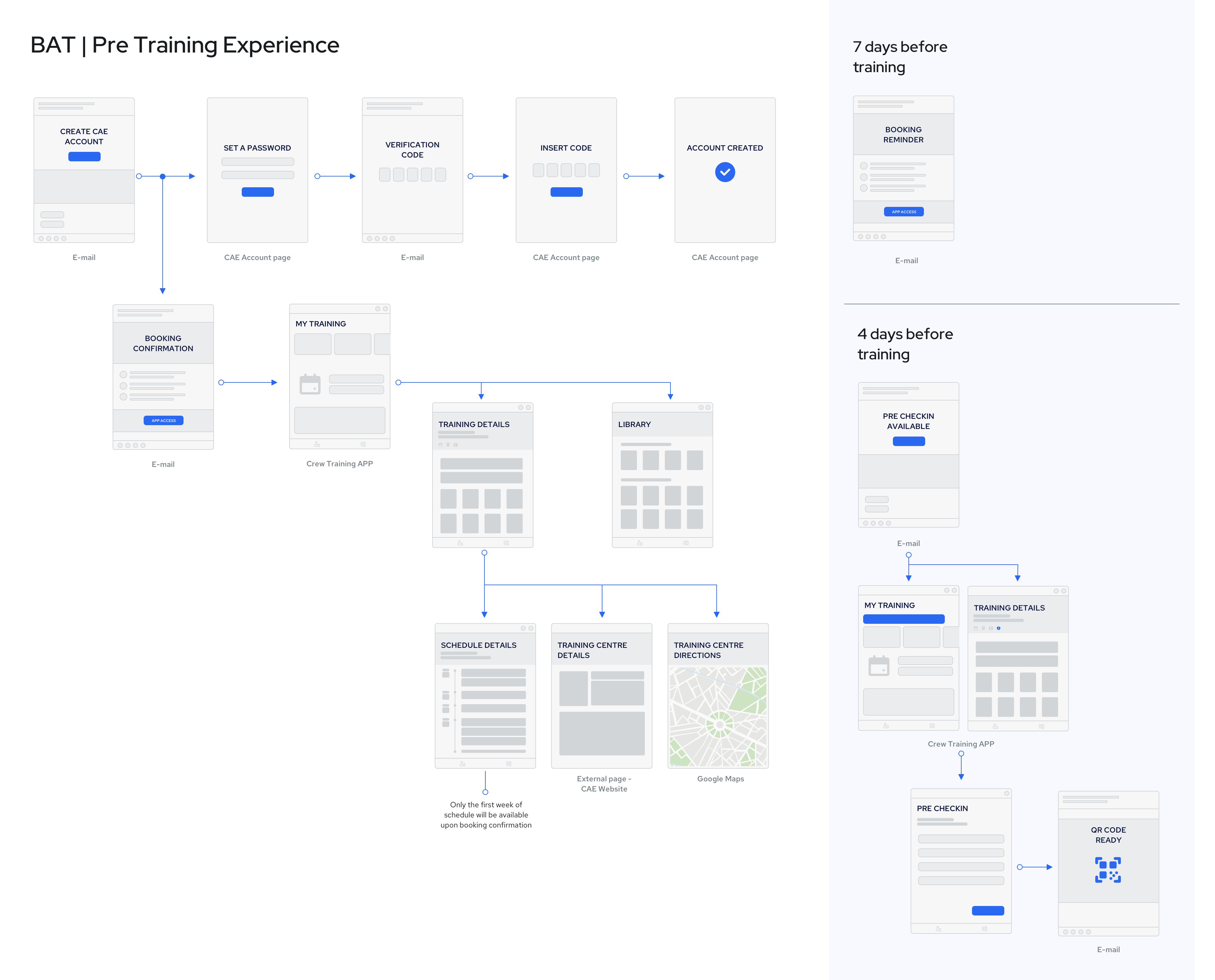
Mapped the full pre-training experience to identify every point of contact between CAE and its users, and to highlight how much the schedule and reminder system mattered.
Solution
01
Business (BAT) users struggled most with scheduling; they could see individual reservations but had no unified calendar view.
02
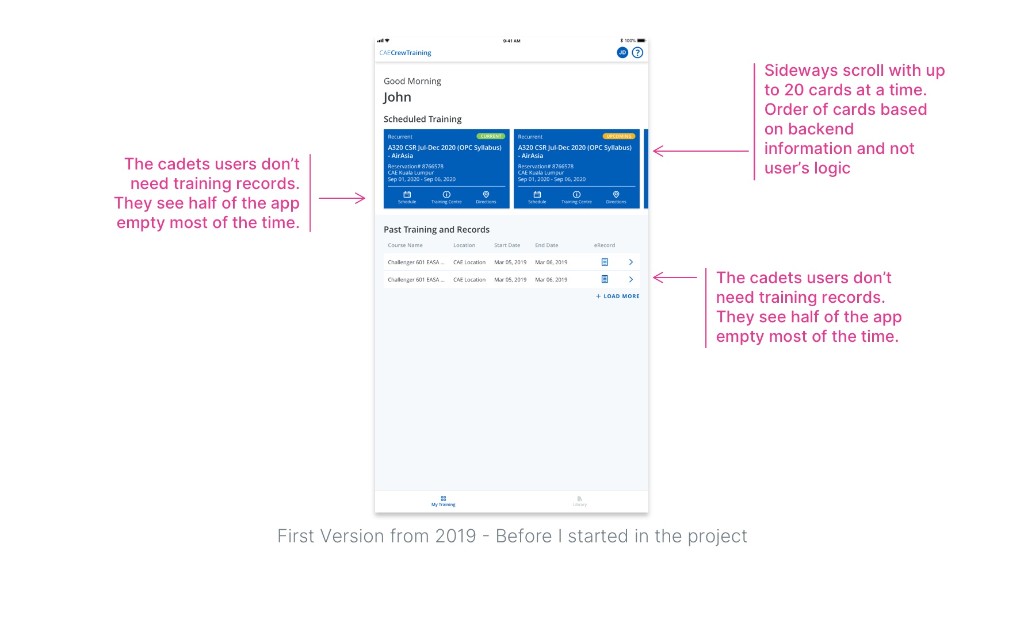
Cadets (FTO) weren't bothered by the calendar; their pain point was the card view, since students can end up with up to 16 active reservation cards, sorted chronologically, many sharing the same end date, making organization confusing.
03
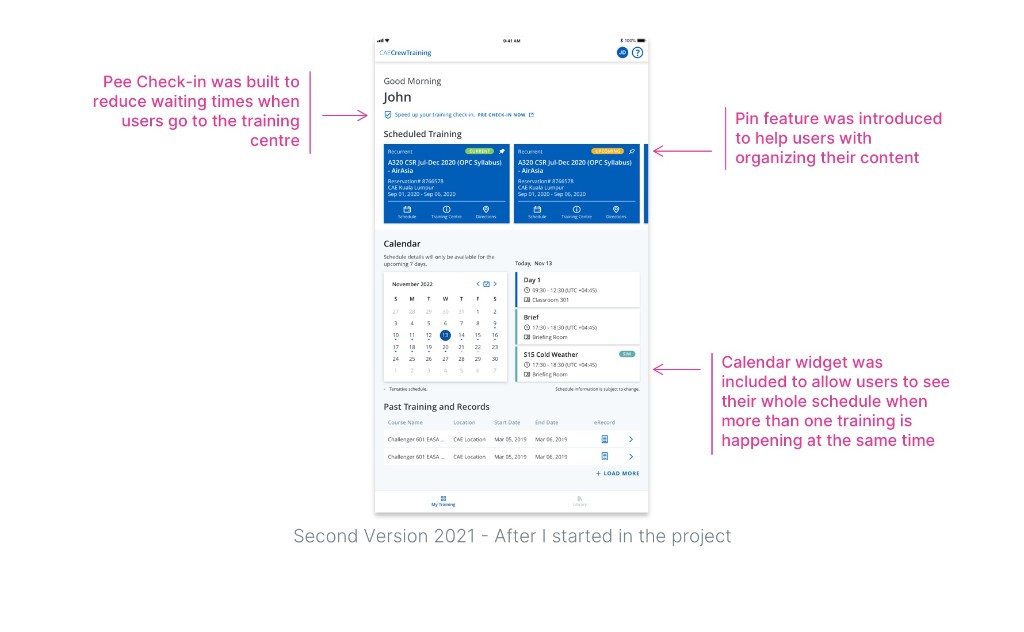
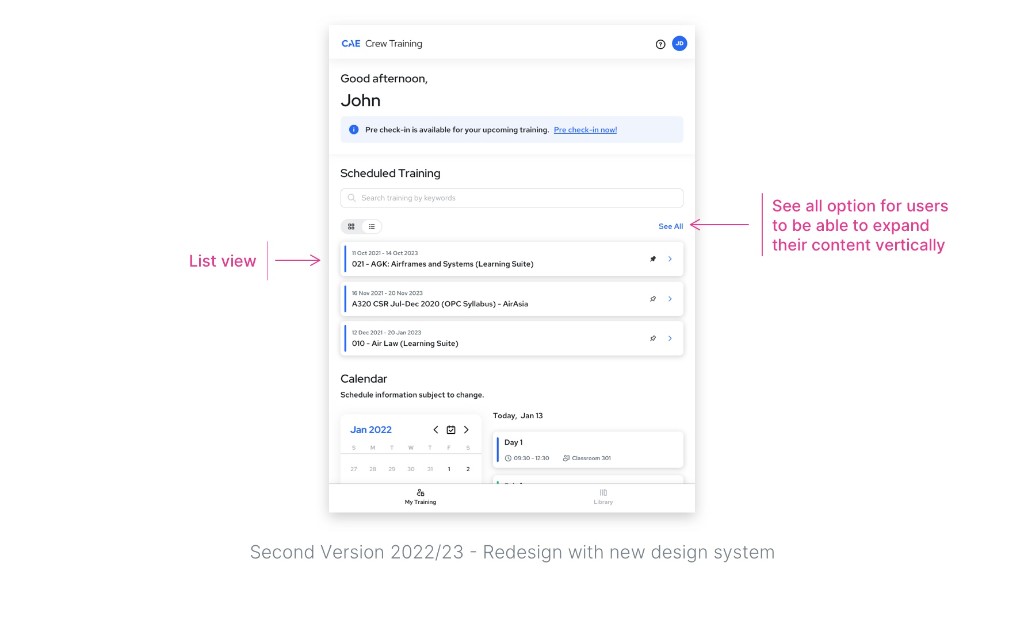
Gave FTO users the ability to pin content in the order that matched how they actually studied.
04
Added a calendar widget to the home screen for BAT customers, showing their full schedule at a glance.
Problem (Part 2)
As updates rolled out, CSAT improved, but not enough. Users still described friction finding and accessing materials. Long-time users, especially Cadets, kept fighting the sideways navigation, and it showed clearly in their scores, the lowest of any user group.
Approach
Redesign for usability
Committed to a full app redesign focused on usability and built around a more modern design system.
One coherent system
Rethought how content was visualized so every feature felt like part of one coherent experience.
Pay down the debt
Prioritized paying down technical debt and optimizing the codebase for performance and stability.
Solution
01
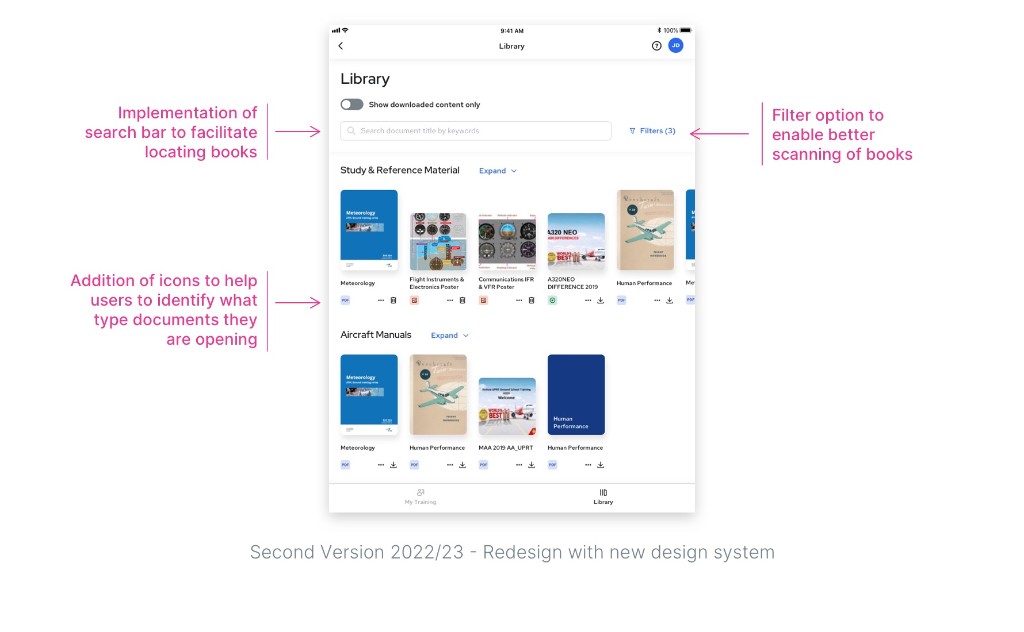
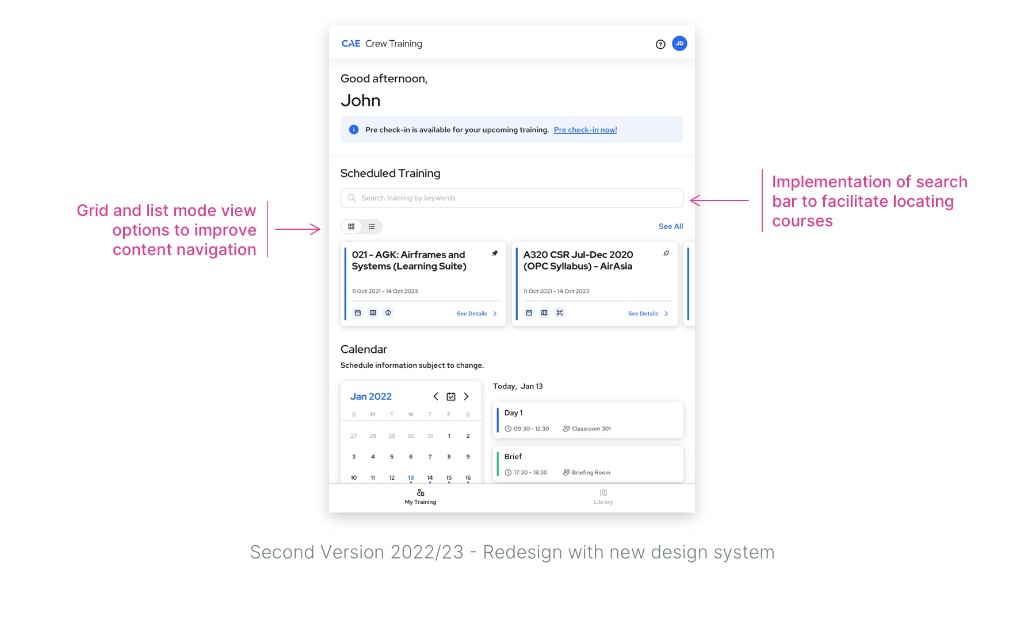
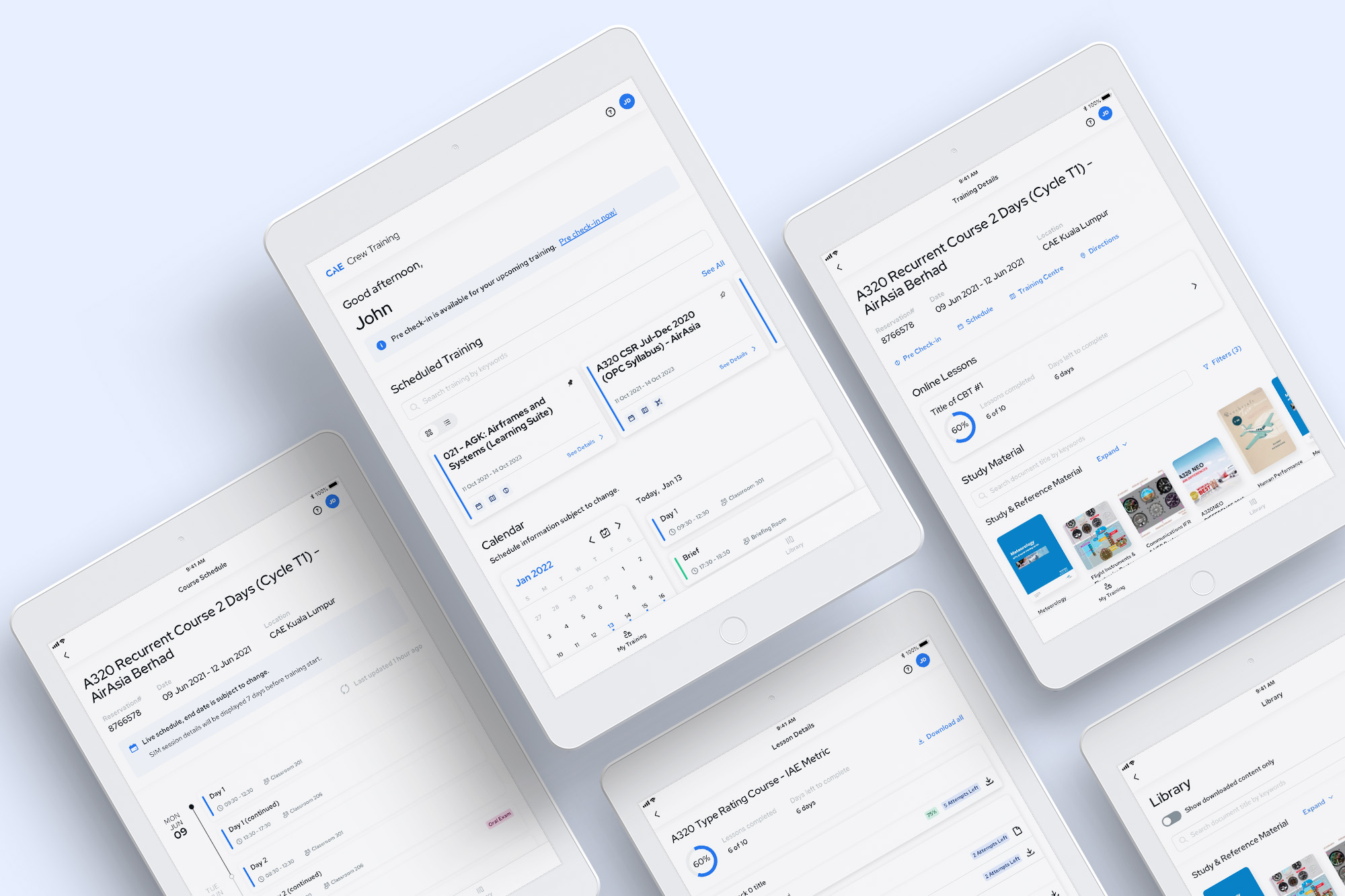
Rolled out a new CAE design system, with Crew Training as its first application.
02
Introduced a search bar, filtering options, and a choice between list and card views.
03
Added a schedule notification system to alert users the moment something changed last minute.
04
Cut technical debt by more than half.
05
Removed several third-party dependencies based on direct user feedback, improving the experience for pilots accessing their books.
Outcomes
01
2.7 → 3.5
CSAT score rose from 2.7 to 3.5.
02
Fewer crashes
Crashes dropped by more than half.
03
+75%
User base grew by 75%.
04
Award
Won Best Digital Transformation at the 2024 United States Customer Experience Awards.
Reflections
Crew Training serves an unusual mix of users, from pilots who log in once every six months to cadets using the app daily for a year, across a wide age range with different comfort levels around technology. Every new feature has to be introduced carefully, and we keep a close eye on usage data and customer surveys to see what's working. There's still more to do: over the past few months I've worked with developers to make the content library more flexible, and since our last integration, the number of available books has tripled.